
How to open a .dcm file
.dcm is the most common file extension in medical imaging. If you cannot open one, the file is usually fine — the problem is the tool.
Why ordinary image viewers fail
- Different bit depth: CT and MR pixels are typically 12–16 bit grayscale (values up to 4095 and beyond), while JPG and PNG are 8 bit (0–255). Regular viewers do not understand that range.
- Window level is required first: the raw grayscale stored in DICOM has to be mapped through a window width and window level before it becomes shades a human eye can separate. Without it, the image looks all black or all white.
- A study is usually a folder, not a file: one series is made of dozens to thousands of .dcm files. A single file is just one slice.
Option 1: use a DICOM viewer (recommended)
VolumeShop is a free DICOM viewer for Windows and Linux. Pick whichever of these fits what you are doing.
Double-click
Once VolumeShop is set as the default program for .dcm, double-clicking a file opens it.
Drag and drop
Select one or more files, or an entire folder, and drag them into the VolumeShop window. Files are sorted by patient, study and series automatically.
Right-click menu
Right-click the selected files or folder in your file manager and choose "Open with VolumeShop".
Open directory / open files
- Open directory: loads an entire folder at once and arranges it as patient → study → series. Best for reviewing a complete study.
- Add directory / add files: appends to what is already open, with de-duplication so nothing is loaded twice.
- Recent: the dropdown keeps the last five directories or files for quick re-opening.
Take a look without opening the app
After installing VolumeShop, .dcm files show thumbnails in Windows Explorer just like ordinary images — you can confirm you picked the right data before opening anything.
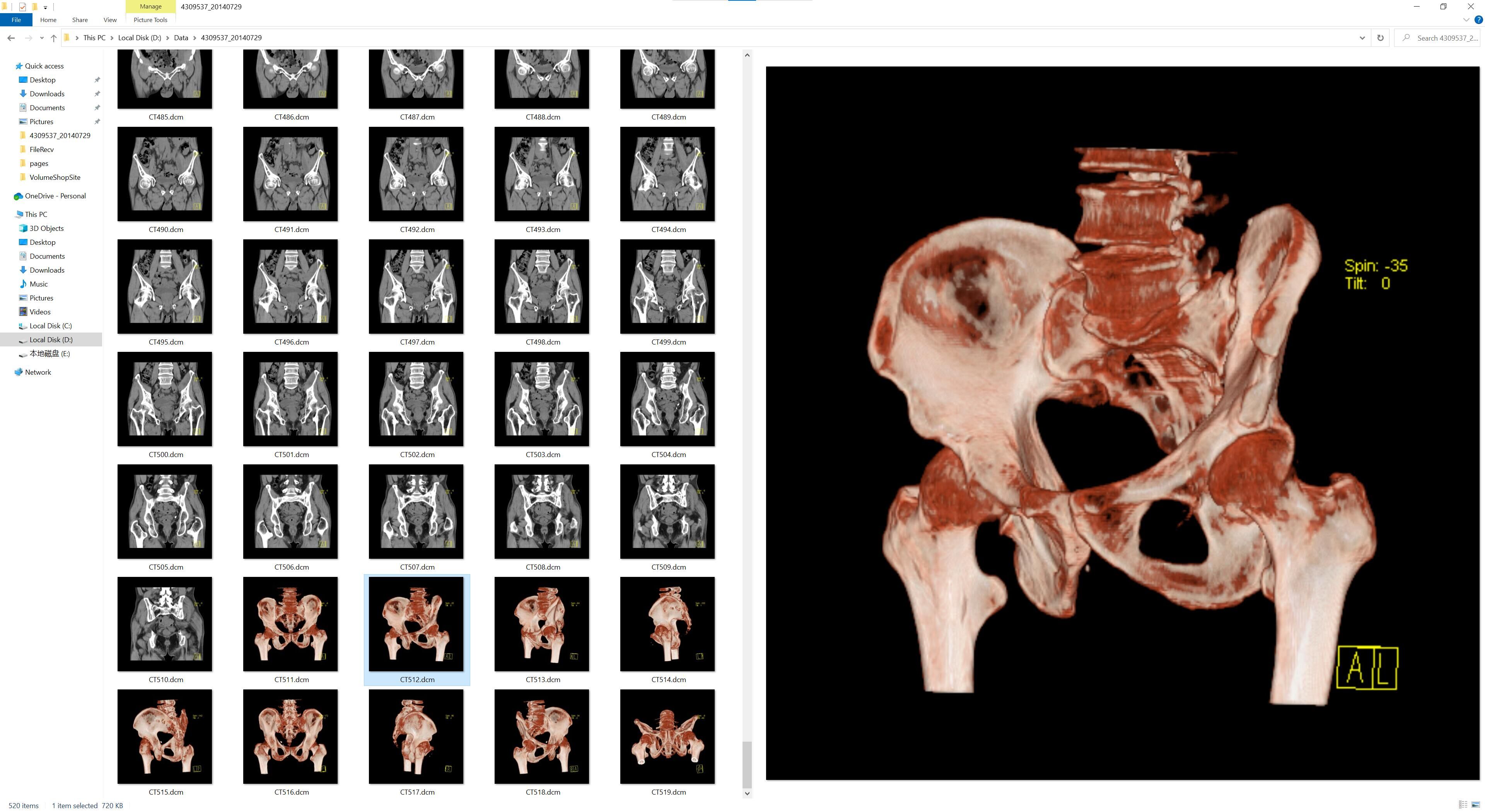
If thumbnails do not appear, set VolumeShop as the default program for .dcm files.
Option 2: does renaming to .jpg work?
No. Renaming only changes the file name — the internal DICOM structure, the 16-bit grayscale and the metadata are untouched, so image viewers still cannot parse it, and you risk messing up the original.
To actually convert, see how to convert DICOM to JPG or PNG.
Option 3: read it in code
For research and batch processing, read it programmatically:
import pydicom

ds = pydicom.dcmread("IM-0001-0001.dcm")
print(ds.PatientID, ds.Modality, ds.Rows, ds.Columns)
pixels = ds.pixel_array        # numpy array with raw grayscale values
pydicom is the right tool for statistics and modelling; for just taking a look, a viewer is far quicker.
FAQ
I have a folder full of numbered files. Which one do I open?
None of them individually. Use "Open directory" and load the whole folder — the viewer sorts it into series for you.
Double-clicking does nothing.
Right-click → Open with → choose VolumeShop, and tick "Always use this app".
The image is all black.
Adjust the window level first: hold the left mouse button on the image and drag left/right, or pick a preset (lung, bone, brain, abdomen) from the window level menu.
What patient and device information is stored in the file?
Click the file information button to see every DICOM tag. See how to hide patient information in DICOM.